
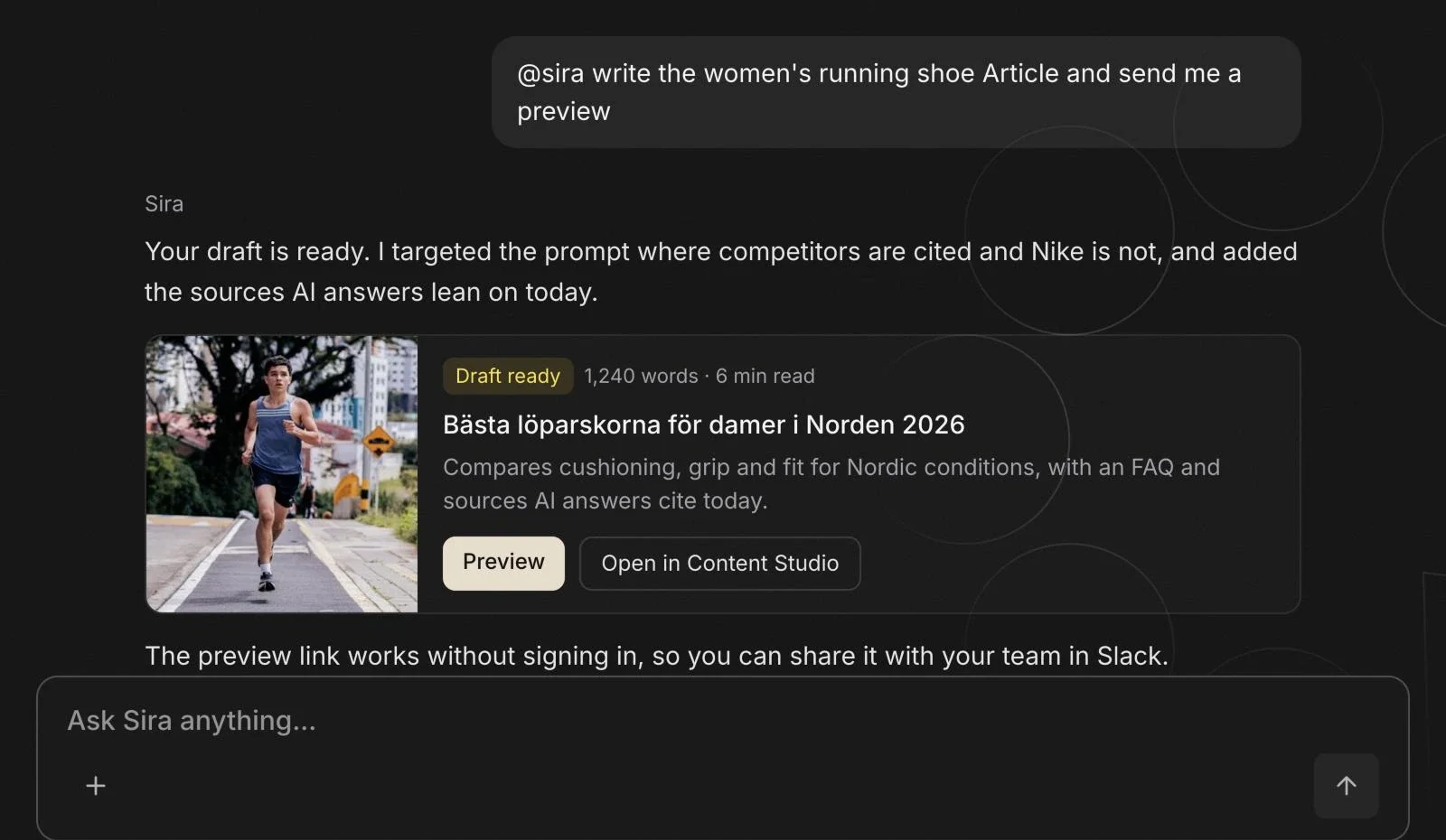
Draft preview links in Slack
Sira in Slack now includes a preview link when it opens or creates a draft, so you can jump straight to reading it in your branding. The link works without signing in, and routine reports posted to Slack now add a Preview link under each unpublished draft as well.
Improvements
- You can now edit text and Markdown documents in the Knowledge Base inline, without re-uploading
- New Knowledge Base documents are now filed inside a category instead of defaulting to "Other"
- Workspace invitation emails now use a branded, styled template with a clear "Accept" button
- Onboarding now pre-fills the prompt-brief step with editable suggestions
- Single-brand users now land straight in their client instead of a chooser
Fixes
- Workspace invitations now email the invitee an accept-and-join link, instead of having to copy the URL by hand
- Team members can now manage a website's Knowledge Base based on their workspace access, not just the owner
- Invited members can now view and manage a projects prompts in a shared workspace
- Biweekly brand-sentiment scores no longer go missing when a site's runs are spread across the day
- Refreshing a Sira chat mid-response now keeps the stop button and thinking animation visible